
How to log sets, weights and rest times from a Wear OS watch
A shared bench, a few changes of plates and a way to keep track without reaching for your phone every time.
BarbellPin ·
Imagine getting to the gym at seven on a Tuesday. Someone is using your usual bench, but they are happy to take turns. You put your plates on, do a set and take them off so they can do theirs. Before your next turn, someone stops to say hello, and you end up talking about a broken lift. By the time you sit down again, you know two things: the lift is still broken, and you cannot remember whether you are on set two or set three.
If you always train on your own somewhere quiet and never have to change equipment, keeping count in your head might be enough. A busy gym is not like that. You move benches, pick up a dumbbell or wait for someone to finish. A session does not need your full attention on a running tally. It needs a way to save the things you want to remember before the next interruption.
What you planned and what happened on the bench
Before leaving home you had three sets of eight in mind. The first goes to plan. On the second you do seven and decide to stop there. On the third you use a lighter weight. Your routine still says three sets of eight, and that makes sense: it describes what you planned. The record of this session should tell a different story.
Seven instead of eight sounds like a small difference. But next Tuesday, when you look back and try to decide which plate to grab, you will want to know that the first and third sets used different loads. Seeing your sets in order gives you a better chance of remembering why you changed the weight. If all three were recorded with the numbers in the routine, you are back to reconstructing the session from memory.
The same thing happens if you are taking turns and have to move benches. You can record the set you just did before figuring out where to put the plates. If you leave it until the end, you may remember that you used two weights, but not which came first.
Find a good moment to record each set
A good moment is once you have put the equipment down safely and before another conversation starts or you move on. Note the weight and reps you just did and mark that set. Keep the same sequence when you change exercises. It gives you a simple way to see where you are during the session.
A notebook, phone or watch can all do the job. A notebook is handy if you have somewhere to put it down. A phone may be better if you want to leave a longer note. On a shared bench, the advantage of a watch is that it is already on your wrist. You do not have to check three pockets for your phone when the other person is ready for their turn.
Rest gets harder to judge when you are alternating. The other person might finish before you are ready, or you may have to wait a little longer. A timer gives you a reference without making you check the clock every time. The planned rest is one thing; whether the bench is free is another.
There is another easy mix-up: you do a lighter warm-up set and then wonder whether that was supposed to be the first one you counted. If your routine distinguishes warm-up sets from working sets, keep that distinction in your log. If you stop early and move to another bench, note how many reps you actually did. Those details explain more later than three identical rows of numbers.
When the note has to wait
Sometimes the other person is ready to take over straight away. Give them the bench, then log your set before you start the next one. There is no need to touch the watch while you are still holding the bar. The routine can wait until your hands are free.
Log the session on your watch with BarbellPin
If you use Wear OS, set up a routine on your phone with the exercises, sets and rest times. Install BarbellPin on the watch, pair it with the phone app open and sync your routines. Check the routine is on your watch before you get to the bench. If you changed something on the phone and it is not there yet, sync before you start.
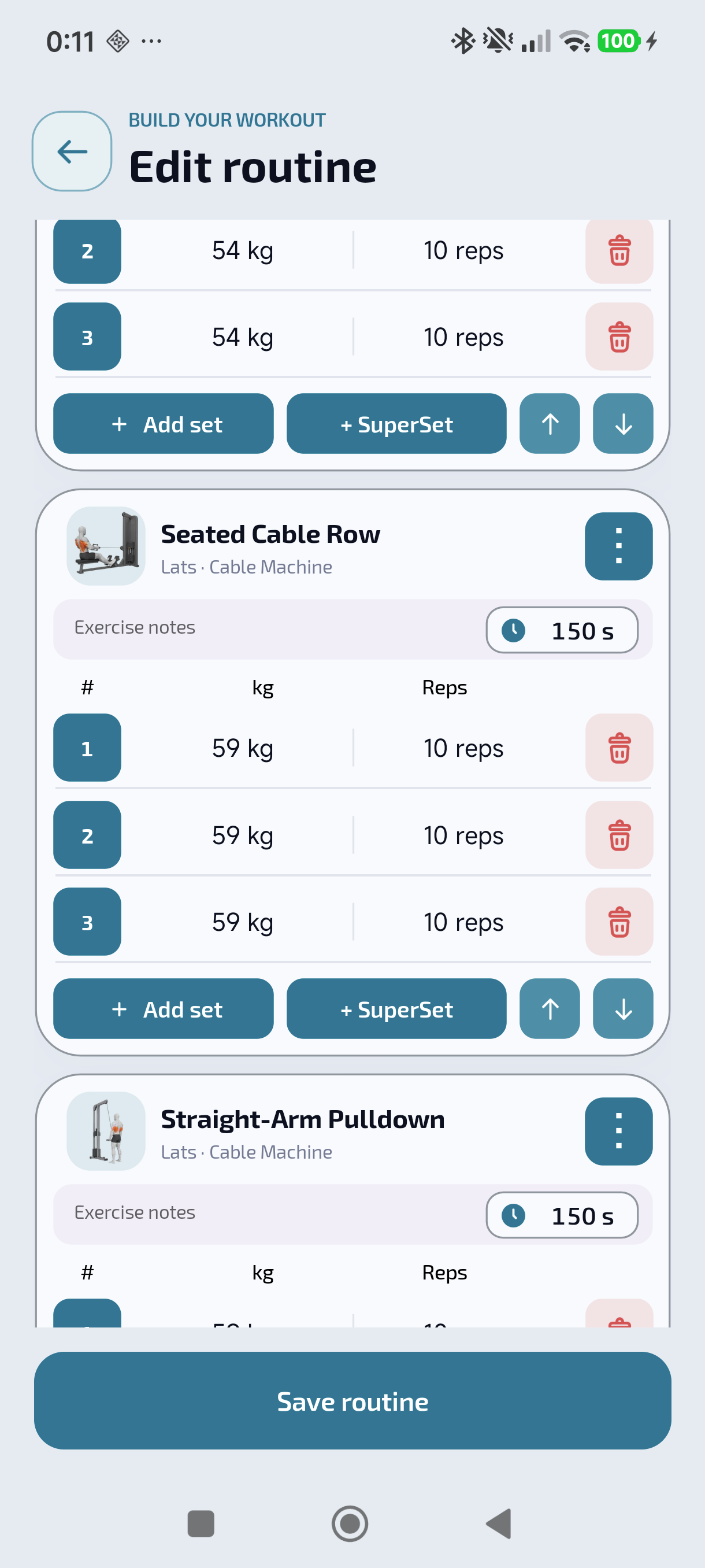
Open the routine on the watch and start the workout. After your first set, check the values. If you did seven reps, enter seven. If you changed the load, adjust the weight. Confirm the set once it matches what you did. If you have a rest configured, you can check its timer. Then repeat with the next set, even if it looks a lot like the first.
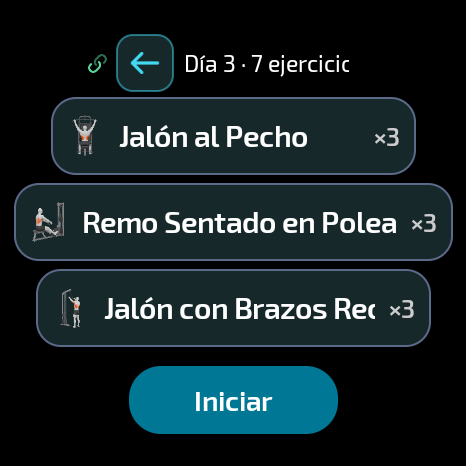
Finish the workout from the watch. Open BarbellPin on your phone and keep both devices close so the phone can receive the record. Then open History and check the saved workout. If it is still waiting to sync, let the transfer finish before logging it again. A delayed entry does not mean you need to make a duplicate.
Next time you get that bench
Next Tuesday you can open the previous workout and check what you lifted. To repeat the routine, start a new workout; the earlier one stays as a reference. You might use the same weights or adjust them after seeing how the first set feels. Either way, you will know which numbers belong to which day.
If you trained at another gym, take the equipment into account too. Two machines can show the same number and feel different. The record tells you what you wrote down that day. You decide what makes sense on the equipment in front of you.
The point is not to turn an evening at the gym into a spreadsheet. It is to be able to share the bench, talk about the lift and move your plates without losing count. To set it up on your watch, follow the BarbellPin installation guide for Wear OS.
Download BarbellPin